Rules in Staging & Imports
Staging holds back the rows that break an error rule. A file import asks you which behavior you want. The MDS migration wizard checks nothing at all. The three paths differ on purpose.
Staging batches
When a staging batch processes a row:
- The row is written, then the filling rules run, then the checks run against the values that arrived.
- If an error rule fires, the row is put back the way it was — an insert is deleted, an update is restored — and the staging row is flagged with error code
262144(Business rule failed). - If a warning rule fires, the row loads and keeps its warning marker.
The batch finishes as Completed w/ Errors. The rest of the batch still loads. One bad row does not stop the run.
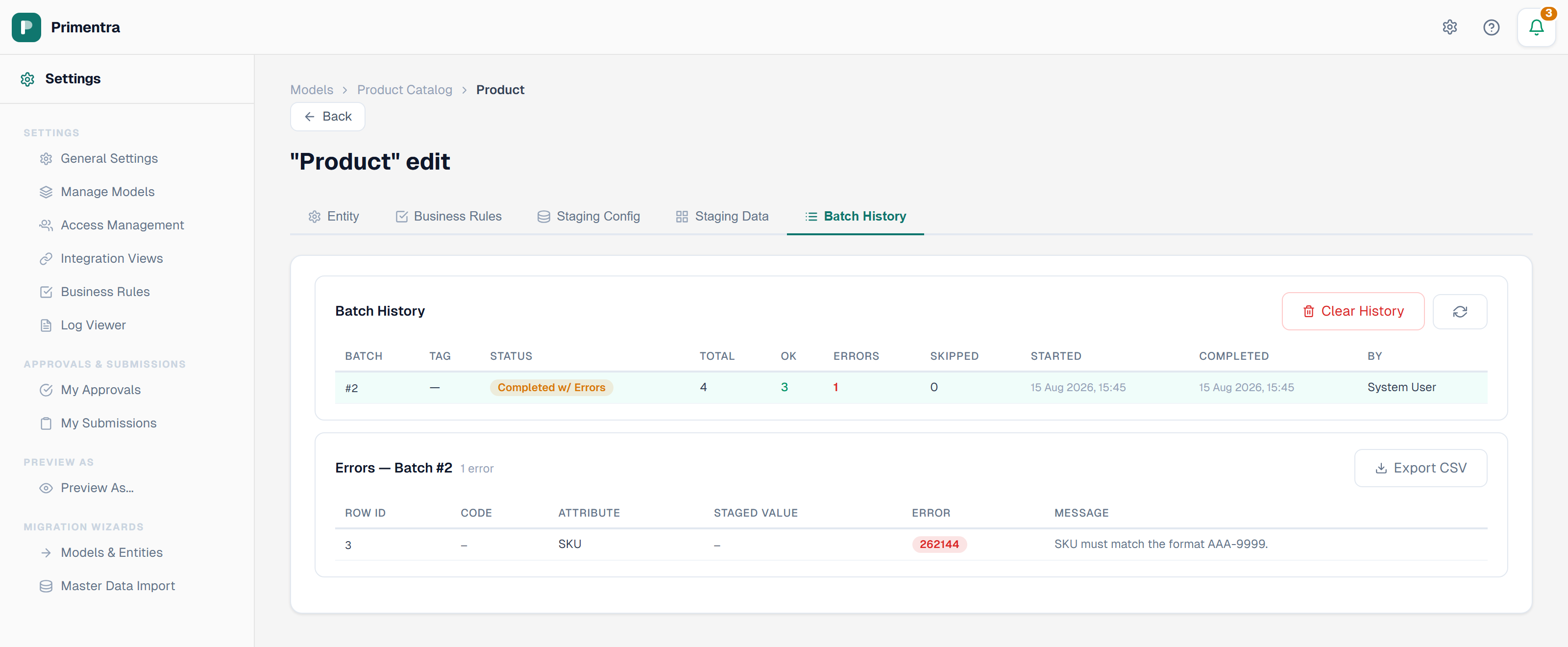
The error list under Batch History gives the row id, the attribute and the rule's message for each held-back row, and exports to CSV. Use the failing rows filter in the grid to review the warnings that did load.
An error rule blocks a staged row for the same reason it blocks a save: the data is definitively wrong, and staging writes straight into the master record.
Excel and CSV import
The import wizard offers a choice on the Preview step:
It is on by default, because this wizard loads into an entity that is already governed.
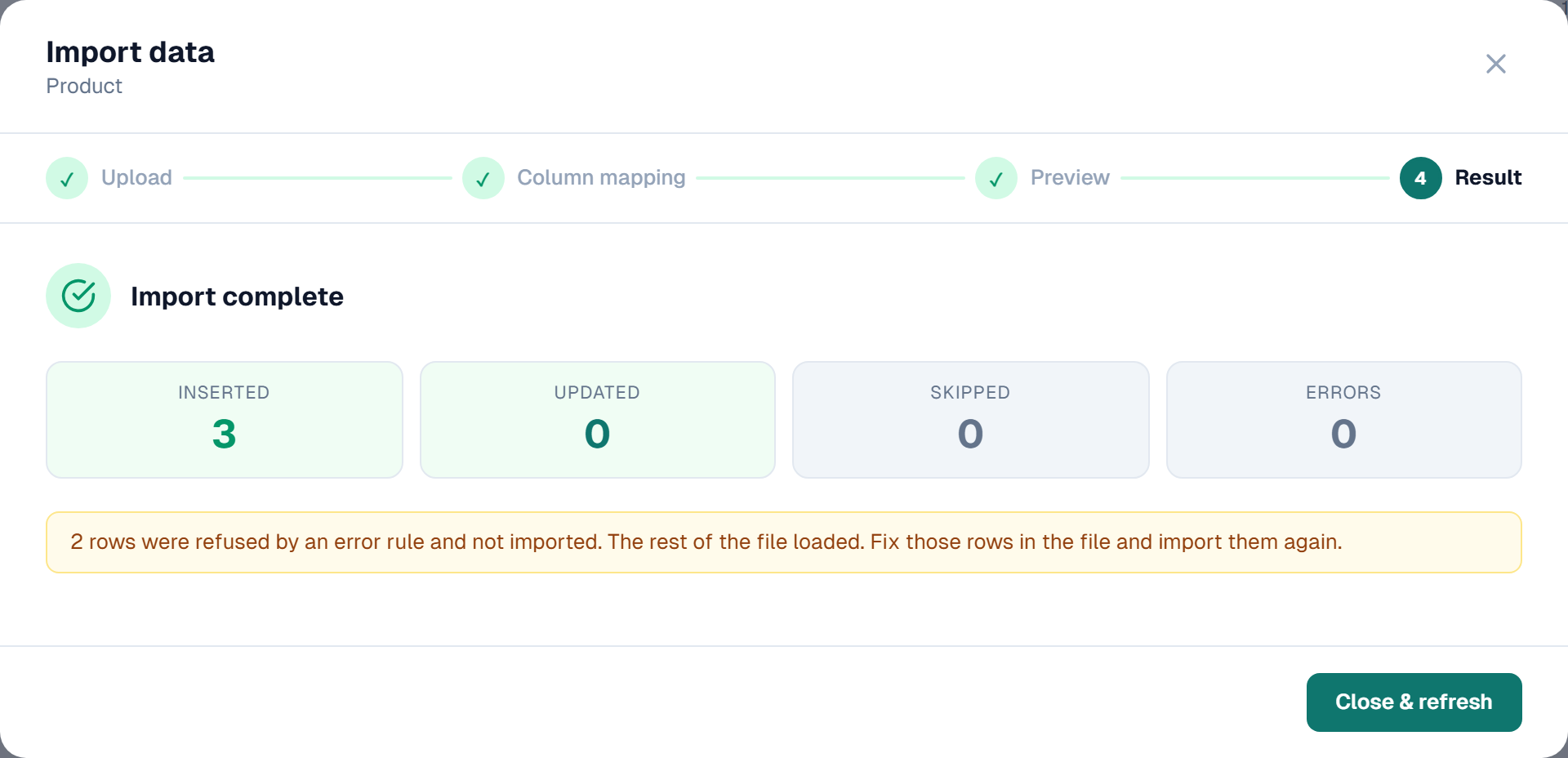
The Result step reports which happened:
| Setting | Result message |
|---|---|
| Checked | *N rows were refused by an error rule and not imported. The rest of the file loaded. Fix those rows in the file and import them again.* |
| Unchecked | *N of the rows in this file break a business rule. Every row was imported — use the failing rows filter in the grid to review them.* |
Uncheck it when you are loading data that has never been under governance. Most of it fails the rules by definition, and refusing those rows would leave you with a part-loaded entity and no way to see what is wrong.
MDS migration import
The MDS migration wizard does not enforce business rules. Legacy data is expected to break them, and a partial load is worse than a dirty one. Every row lands. Configure the rules after the migration, then run Validate Now to see where the data stands.
Related
- Staging Overview — what staging is and when to use it
- Processing & Errors — batch history and the error-code classes
- Import from Excel & CSV — the four steps of the import wizard
- Migrate Master Data — the MDS data wizard
- Validating Entities — review what loaded with a warning