Test Before Saving
A rule that goes live on a governed entity starts refusing saves immediately. Test rule tells you what it would do, before it does it.
The test panel sits in the right column of the rule editor, under Test before saving.
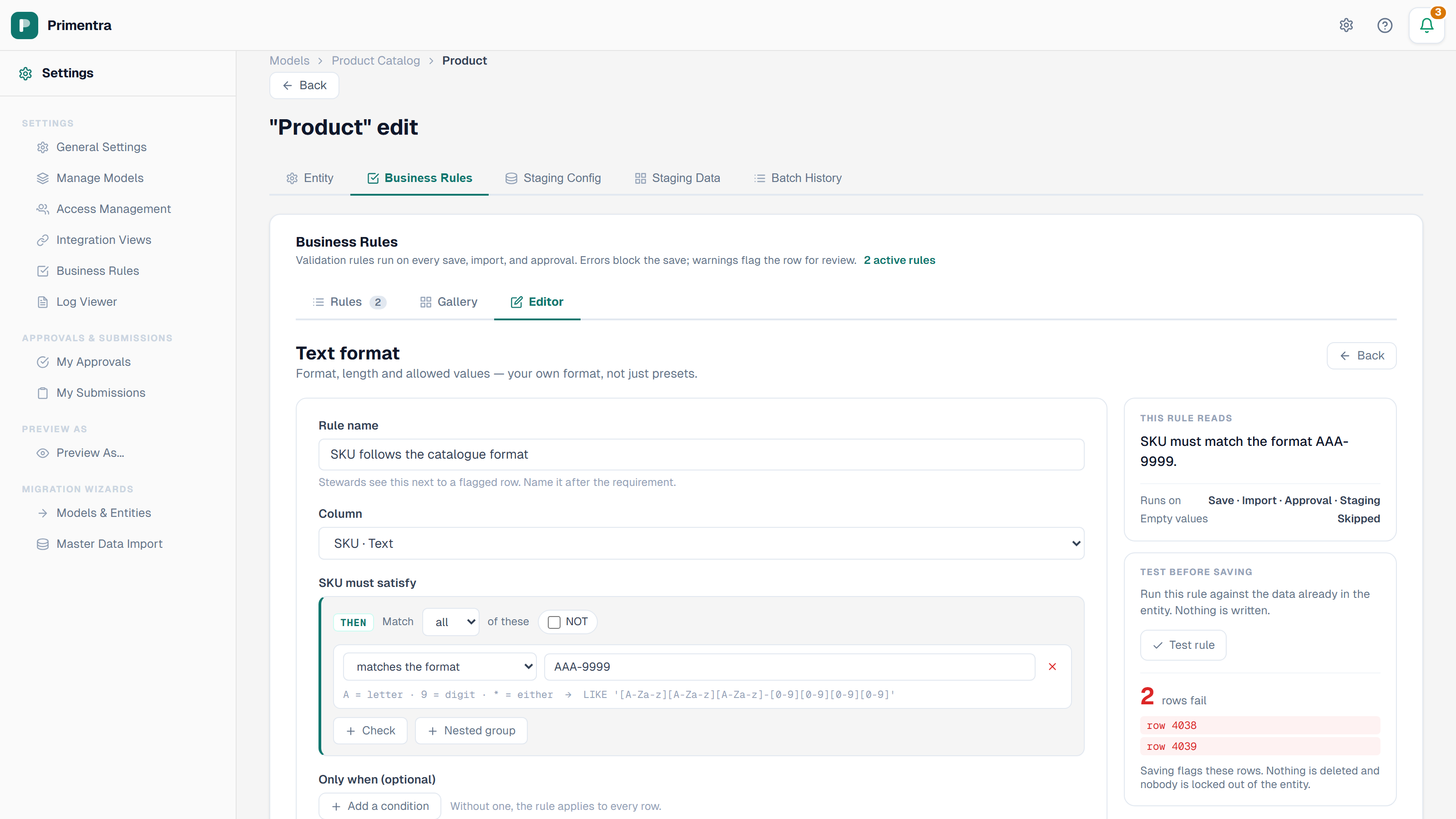
Running a test
- Build the rule. It does not have to be saved.
- Click Test rule.
- Read the count.
The rule runs against every row already in the entity. Nothing is written: no row is changed, and no failure is stored against a row. Editing the rule or changing its severity clears the previous result, so a number on screen always belongs to the rule in front of you.
Reading the result
The panel shows the number of rows that fail, then the first three of them by row id, then a line that changes with the severity you have chosen:
| Result | What the panel says |
|---|---|
| 0 rows fail | Every row passes — safe to activate as an error. |
| Rows fail, severity Refuse the save | Saving flags these rows. Nothing is deleted and nobody is locked out of the entity. |
| Rows fail, severity Warn and flag | These rows stay editable and appear with an amber flag in the grid. |
The count is rows, not violations. A row that breaks the rule in two places is one row.
What a failing count means
Saving an error rule does not delete anything and does not lock anyone out. The existing rows stay where they are and stay editable. What changes is the next save: any row that still breaks the rule is refused until it is corrected.
So a large failing count is not a reason to abandon the rule. It is the size of the clean-up:
- A handful of rows — fix them in the grid, then save the rule as an error.
- Hundreds of rows — save the rule as a warning first. The rows are flagged, the failing rows filter shows them, and stewards can work through the list. Switch the rule to an error once the count reaches zero.
- Most of the entity — the rule probably says something different from what you meant. Read the sentence under This rule reads and check it against a row you expect to pass.
When Test rule is unavailable
The button is disabled while the rule contradicts itself. Primentra will not run a rule that no number can satisfy. Fix the contradiction named in the red banner and the button comes back.
Related
- Advanced IF/THEN Builder — build the rule you want to test
- Validating Entities — run the saved rules over the whole entity
- Creating a Rule from Templates — the guided forms
- Editing & Saving — what a refused save looks like to a steward