
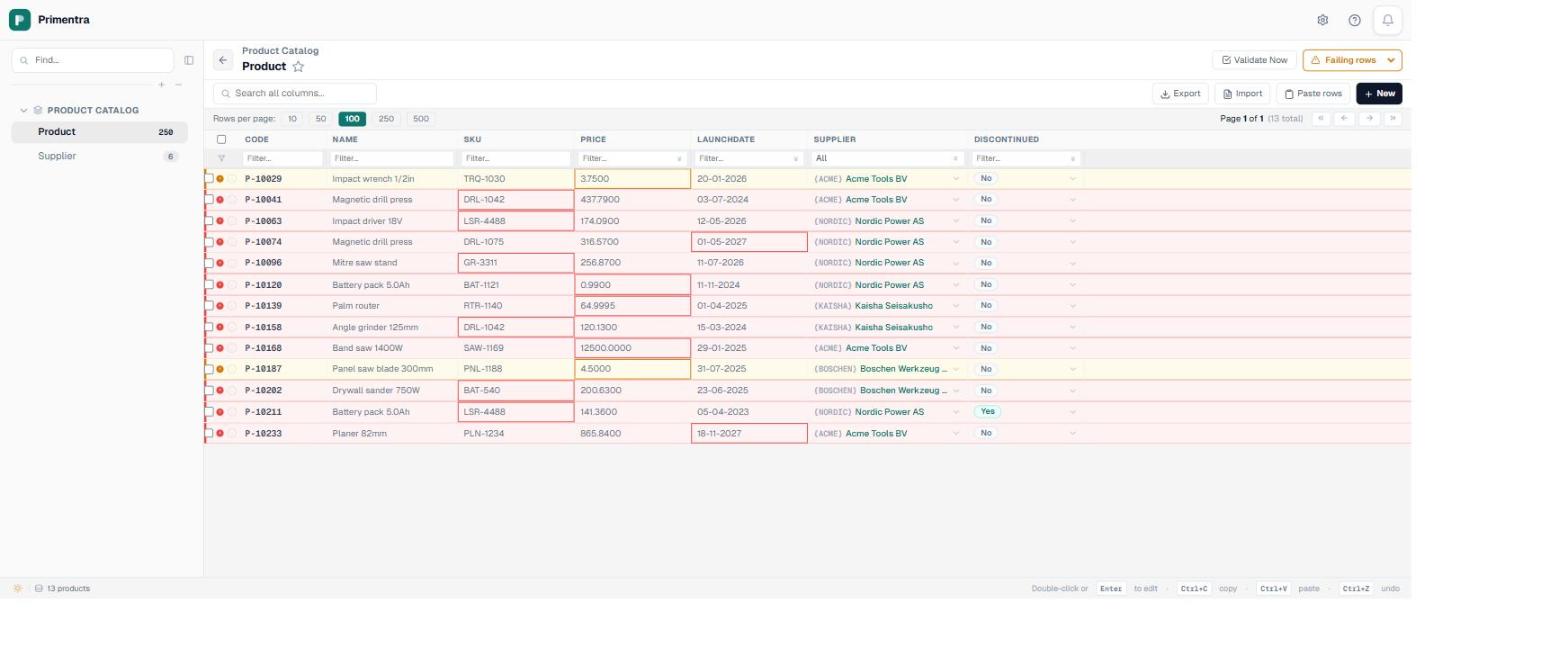
That grid is the whole feature in one picture. Two hundred and fifty products, thirteen of them wrong, and the wrongness is on the cell rather than in a log file somebody has to go and read. Getting there took one screen and about ten minutes of setting up rules, and what follows is the vocabulary that screen is built from.
A rule is two trees
Every rule in the engine has the same shape: an IF tree and a THEN tree. The IF decides which rows the rule is about, and the THEN is what those rows have to satisfy. Leave the IF empty and the rule applies to every row, which is what most rules want. Fill it in and you get a conditional rule, which is what people who came off MDS usually mean when they say “business rule” at all.
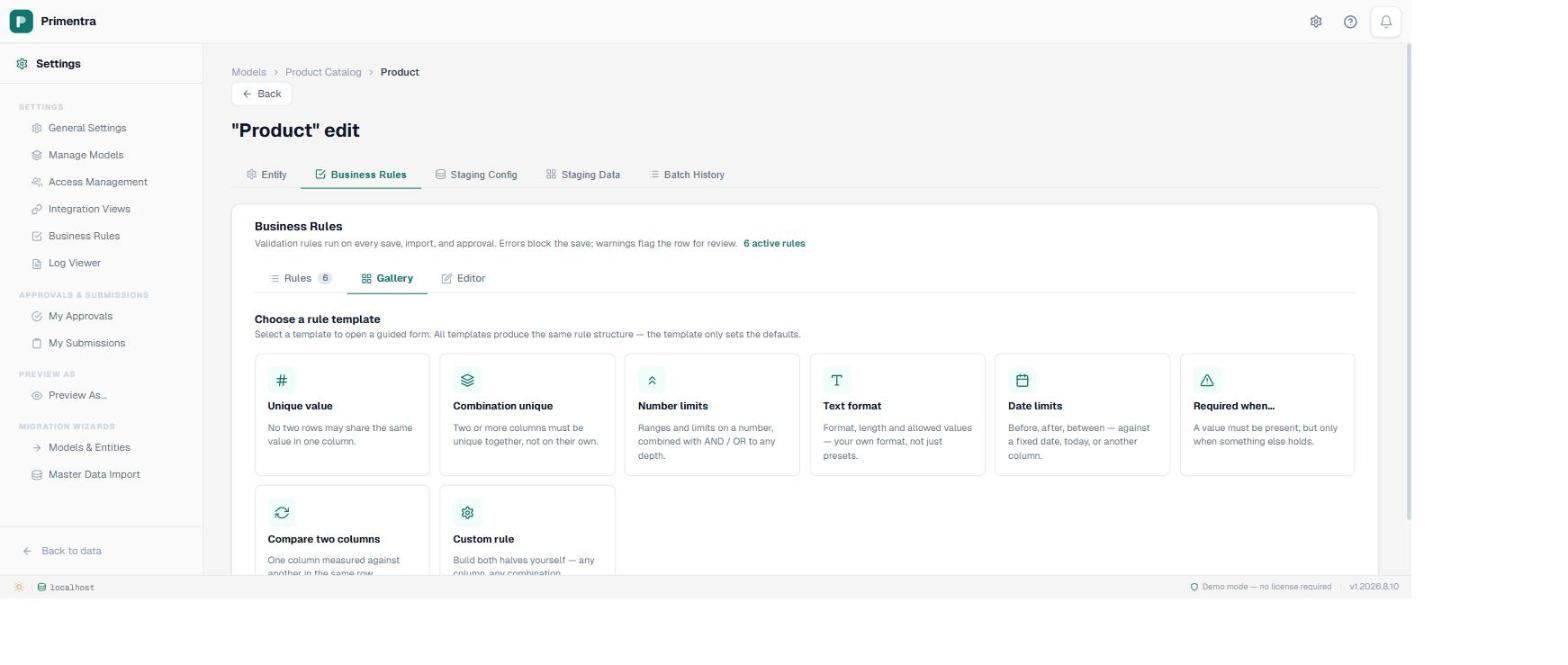
Both trees are the same structure. A group holds a combinator (match all of these, or any of these), an optional NOT, and a list of children. A child is either a leaf, meaning one comparison, or another group. So nesting is just a group inside a group, and there is no separate screen for “advanced” rules.
One caveat that is not in any release note: the evaluator flattens a tree eight levels deep, and the builder does not stop you nesting further. Nine levels is not a shape anyone builds by hand, but if you generate rules from somewhere else, keep them under that.
Three things a rule can assert
The THEN side is one of exactly three kinds, and knowing which three saves a lot of hunting through the template list.
- A value check on one column — the tree of comparisons described above. Ranges, formats, lengths, date windows, comparisons against another column.
- Uniqueness across one column or several together. One column gives you “SKU is unique”. Several give you a combination key, which is the one people rebuild first after a migration.
- Presence — the column must hold a value, or must not. On its own that is just a required field. Paired with an IF tree it becomes “required, but only when…”, which a required toggle cannot express.
The operators, by column type
The builder offers operators based on what the column is. There are 35 distinct ones; the counts below add up to more than that because several appear in more than one family.
A few are worth pointing at. maxDp limits decimal places, which is not the same as the column's own decimal setting and catches prices that arrived from a currency conversion. weekday asserts a working day. withinLast, withinNext and atLeastAgo take a number of days rather than a date, so the rule keeps working next quarter. Those three have no MDS equivalent at all.
Error or warning, and what that actually changes
Every rule is one or the other. An error refuses the write. A warning lets it through and marks the row, which is the right setting for anything where the data might be correct and merely surprising. In the screenshot at the top, the two amber rows are products priced under five: plausible, but somebody should look. The red ones are a malformed SKU, a duplicate, a price with four decimal places, a price above the catalogue ceiling, and two live products with a launch date in 2027.
The grid filter has four buckets and they are disjoint: all rows, failing rows, errors only, warnings only, passing rows. A row carrying both an error and a warning counts as an error and stays out of the warning bucket, so the numbers add up rather than double-counting.
Where the check runs
This is the part worth reading twice, because it is where most rule engines quietly disappoint. The rules live in one stored procedure, and five different write paths call it. They do not all do the same thing with the answer, and the differences are deliberate.
If you are planning an ETL feed, the staging and import rows are the two to read properly, because they are the two that surprise people. The differences and the reasoning behind them deserve their own page.
Empty is not a value
A rule is asserted only against rows that hold a value in the target column. The editor tells you so on the panel: empty values — skipped. The only exception is a presence rule, which exists to require a value in the first place.
That one decision propagates further than it looks. Two blanks are not duplicates, so uniqueness never collides on them. A row missing any member of a combination key drops out of that check entirely rather than colliding with every other incomplete row. It is the behaviour you want, and it is not what a unique index would do for you.
Test it before you save it
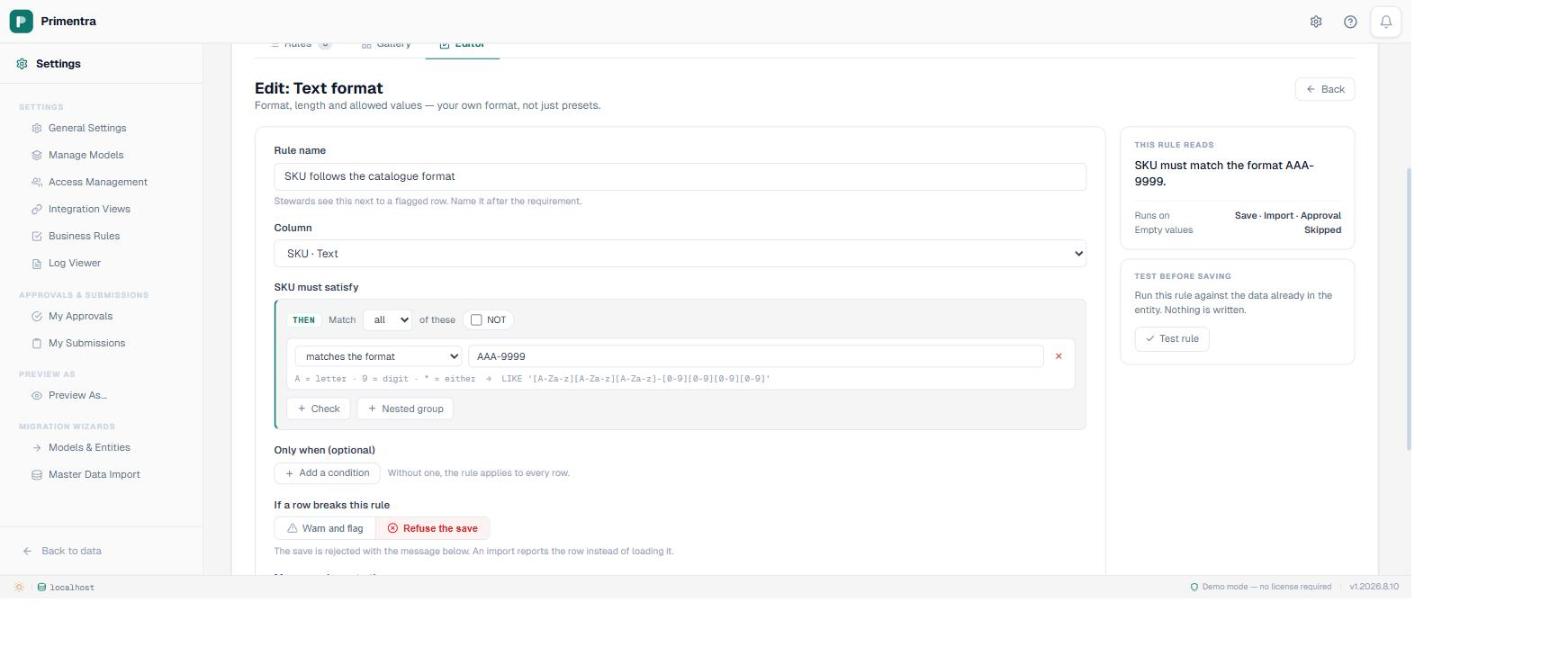
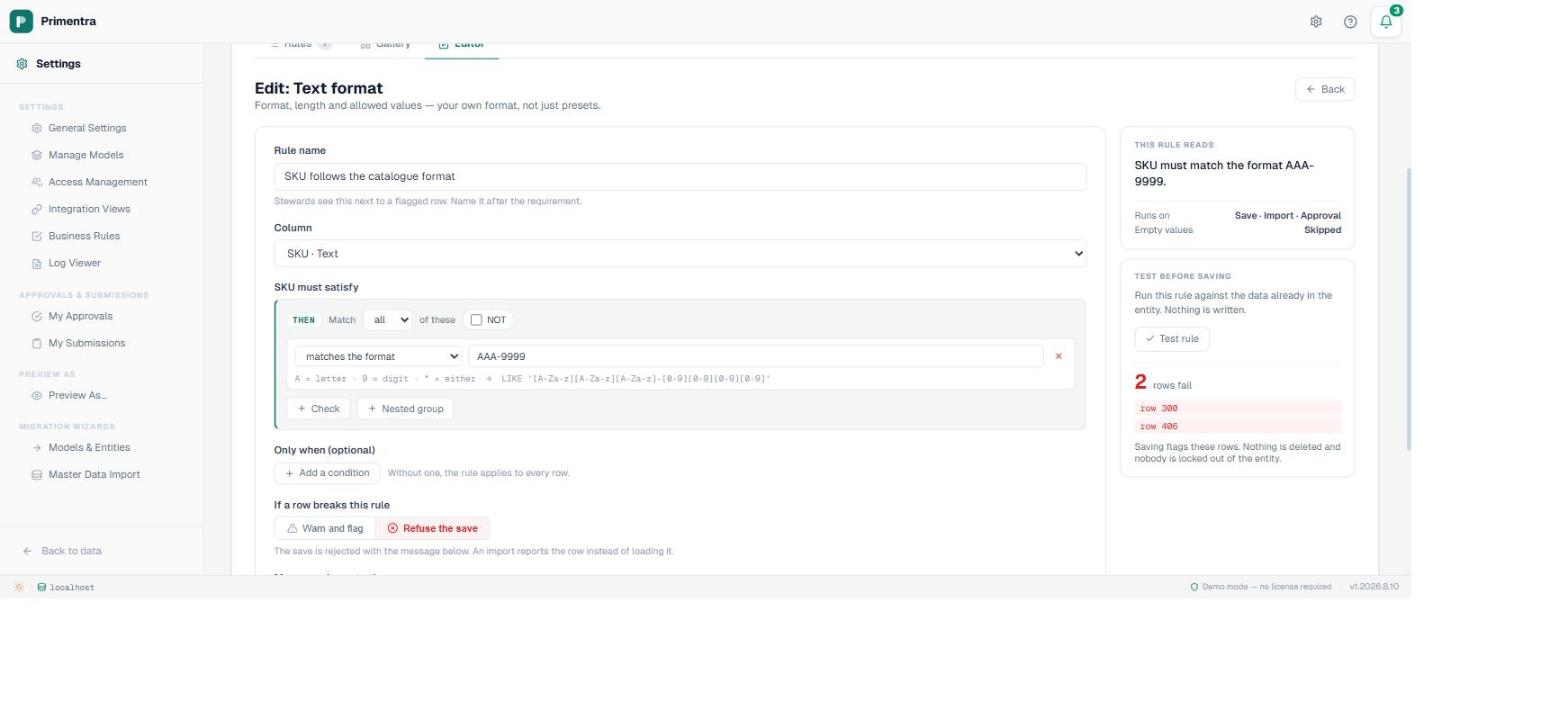
Writing a rule against data you already have is guesswork until you run it. Test rule evaluates the rule you are currently editing against the whole entity and reports which rows would fail. Nothing is written, and the rule does not have to be saved first. It calls the same stored procedure that enforces the rule in production, so it is the real answer rather than a preview of one.
The panel above it reads the rule back in English. That sounds like a nicety and turns out to be the thing that catches mistakes, because a rule that is subtly inverted still looks correct as a row of dropdowns and reads obviously wrong as a sentence.
The one gap worth knowing about
There is no regex operator. One existed until August 2026 and it checked nothing: SQL Server has no regular expression engine, so the leaf passed unexamined, and the browser and API checks the label promised had never been written. A validation rule that silently validates nothing is worse than no rule, so it was withdrawn.
So for anything that has to hold on every write path, use a format mask. A mask compiles to a LIKE pattern, which the database can evaluate, and it reads like the value it describes. That trade is the most explainable decision in the whole feature, and it is why the mask is the default rather than the fallback.
Where to go from here
Five pages go deeper than this one, each on the problem it solves rather than on the screen it lives in. Stopping duplicate rows covers single and combination uniqueness and the blank-value semantics that differ from a database index. Enforcing a format is the mask argument in full. Date rules covers the thirteen date operators and what a DateTime column will happily accept. IF/THEN rules is the one to read if you are coming off MDS. And what a rule does on import, staging and approval is the one to read before you wire up a feed.
If you are arriving from Master Data Services with an inventory of rules to re-express, start with what replaces MDS business rules instead. Most of that pile does not need rebuilding, and the migration is the one moment you have standing permission to say so.
Common questions
What is a business rule in Primentra?
Two boolean trees over the columns you already have. The IF tree picks the rows, the THEN tree is what they must satisfy. Both combine with AND or OR, can be negated, and can nest. A rule asserts a value check, uniqueness, or presence, at either error or warning severity.
Where are business rules enforced?
In the database, by one stored procedure, called from four places: the grid save (which the REST API shares), the staging batch, the file import, and the approval. The four do not behave identically, and the differences are deliberate rather than accidental.
Do rules treat empty values as failures?
No. A rule is asserted only against rows that hold a value in the target column. The editor says so on the panel. The exception is a presence rule, whose job is to require a value. Two blanks are never duplicates.
Can I test a rule before saving it?
Yes. Test rule runs the rule you are editing against the data already in the entity and reports the rows that would fail. Nothing is written, and the rule does not have to be saved first.
Does it support regular expressions?
No. SQL Server has no regex engine, so an operator that took a pattern could not enforce it; the one that existed until August 2026 accepted a pattern and ignored it, and has been withdrawn. Use a format mask, which compiles to a LIKE pattern the database applies on every write path.
Point a rule at your own data and see what it finds
Test rule runs against the entity you already have, so the first useful answer arrives before you have committed to anything. Primentra runs on your own SQL Server, deploys in a day, and costs €7,500 per year flat. The 60-day trial is long enough to load one real entity and find out how much of it you would have to fix.