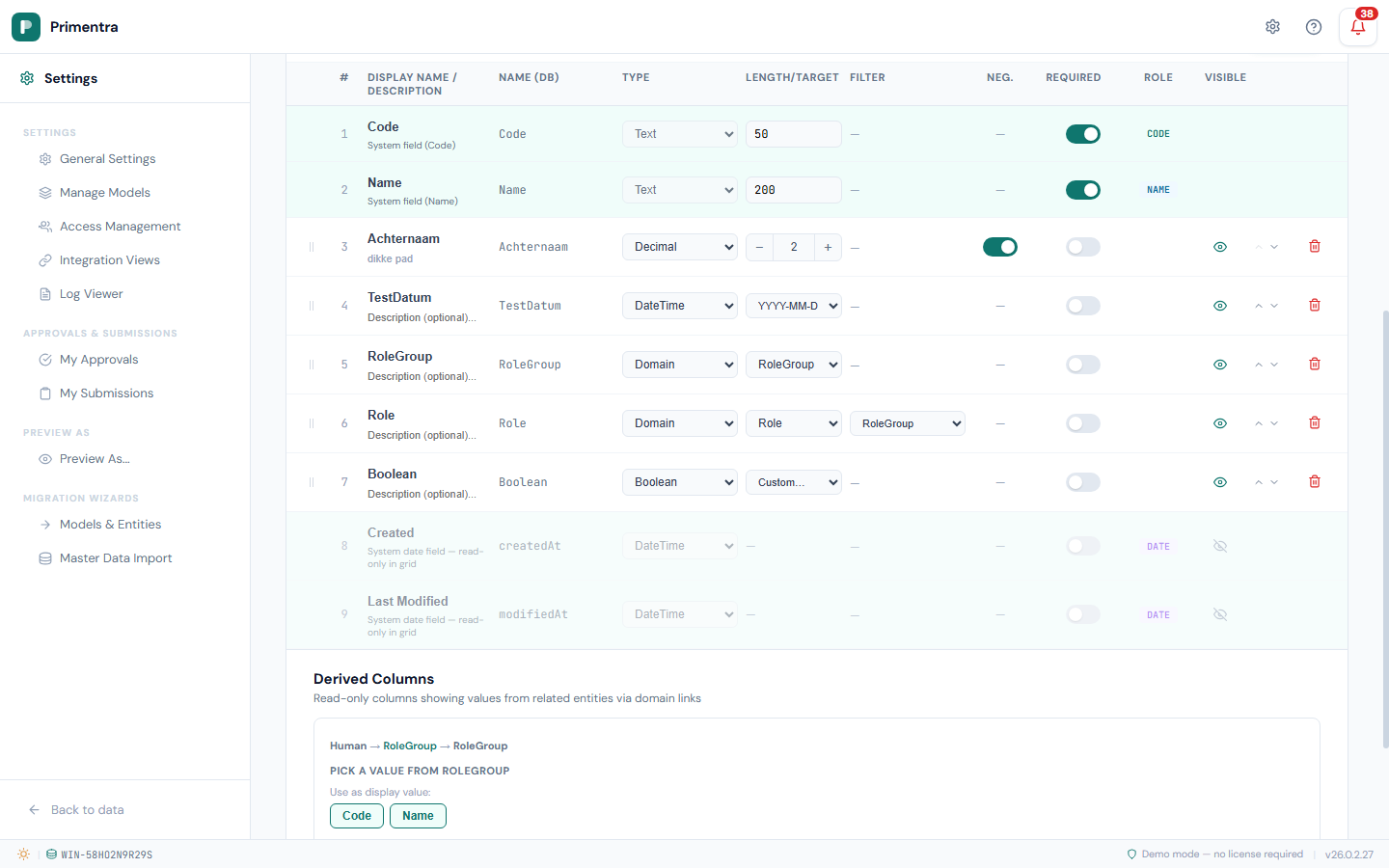
Derived Columns
A derived column pulls a value from a related entity through a chain of domain attributes, without duplicating the data. It appears in the data grid as a read-only column, resolved from the path you define.
Example
Your Costcenter entity has a domain attribute pointing at Area, and Area has one pointing at Zone. A derived column on Costcenter can follow Costcenter → Area → Zone and show a Zone attribute — its Manager, say — on every Costcenter row.
Or watch one being built — a single hop, then a two-hop path, a store moved to another country so the value follows on its own, and the two limits worth knowing before you plan around it:
Create a derived column
- Go to Settings → Models, open the entity and click Edit.
- Scroll to Derived Columns, below the attribute table.
- Click Add.
- Pick a domain attribute to follow. The picker offers only the domain attributes on this entity.
- At the next entity, either pick a leaf attribute under Use as display value, or pick another domain attribute under Or drill deeper via to go one level further.
- A column name is proposed from the path, such as
Zone / Manager. Edit it if you want. - Click Save.
A breadcrumb above the picker shows the path so far — entity, attribute, entity — so you always know where you are. Click Cancel to start again.
In the data grid
Derived columns are a grid feature. They are resolved when the grid is read, and they are not part of the integration view built on the entity — a flat view holds the entity's own columns, and a hierarchy view walks the same domain chain in SQL and brings the parent entity's columns with it. If a downstream system needs the value, that is the view type to use.
- Derived columns appear after all regular attributes.
- They are read-only, marked with a lock icon. The value is resolved from the domain chain.
- When a domain value changes — a Costcenter is moved to another Area — the derived column follows automatically.
Requirements
- The entity must be saved first. The Derived Columns section only appears on a saved entity.
- The entity must have at least one domain attribute. Without one the picker says so and offers nothing.
- The path must be at least two steps: one domain hop plus the leaf attribute.
- The path ends on an attribute.
CodeandNameare columns of the row, not attributes, so they are not offered as a display value and cannot be the last step. To show a related record's name, keep the value in an attribute and point the path at that. A domain attribute *can* be the last step: it resolves to its{Code} Namedisplay value.
Delete a derived column
Click the trash icon beside it in the Derived Columns list. Only the column definition is removed. No data is affected, because a derived column stores no values of its own.
Related
- Domain Attributes & Hierarchies — the chains a derived column walks
- Attributes & Data Types — the attributes it reads
- Entity Management — how derived columns affect a delete
- Integration Views — a Hierarchy view is how the same value reaches SQL; a derived column is a grid feature and is not in the view