Selection & Bulk Operations
The grid has two independent selections: checked rows, which drive the toolbar buttons, and selected cells, which drive the clipboard. The status bar always says which one is active.
Check rows
The leftmost column holds a checkbox per row.
- Click a checkbox to check or uncheck one row
- Use the header checkbox to check or uncheck every row on the current page
- A row locked by a pending approval shows a padlock instead of a checkbox
Checking rows reveals Bulk edit (N) and Delete (N) in the toolbar, and changes Export to Export (N) — only the checked rows are written to the file.
Select cells
Cell selection is rectangular, like a spreadsheet.
- Click a cell to select it
- Click and drag across cells to select a rectangle
- Shift + Arrow extends the selection from the keyboard
The status bar shows N cells selected and the keys that apply: Ctrl+C copy, Del clear, Ctrl+Z undo, Enter edit.
Fill handle
When a cell is focused and you may edit it, a small square appears at its bottom-right corner. Drag that handle up or down to copy the value into every cell you drag over.
- The fill runs down one column. It never spreads sideways
- Filled cells become pending changes and turn yellow
- A toast confirms Filled N cells
- Ctrl+Z reverses the whole fill in one step
Bulk edit
Bulk edit sets one field to one value across every checked row.
- Check the rows you want to change.
- Click Bulk edit (N). The dialog header names the count, for example Bulk Edit — 12 branches.
- Pick the field from Field to change. Every column except Code and Name is offered; derived columns are not, because they are read-only.
- Enter the new value. The input follows the field: a list for a reference column, Active/Inactive for the status column, a text box for everything else.
- Click Apply.
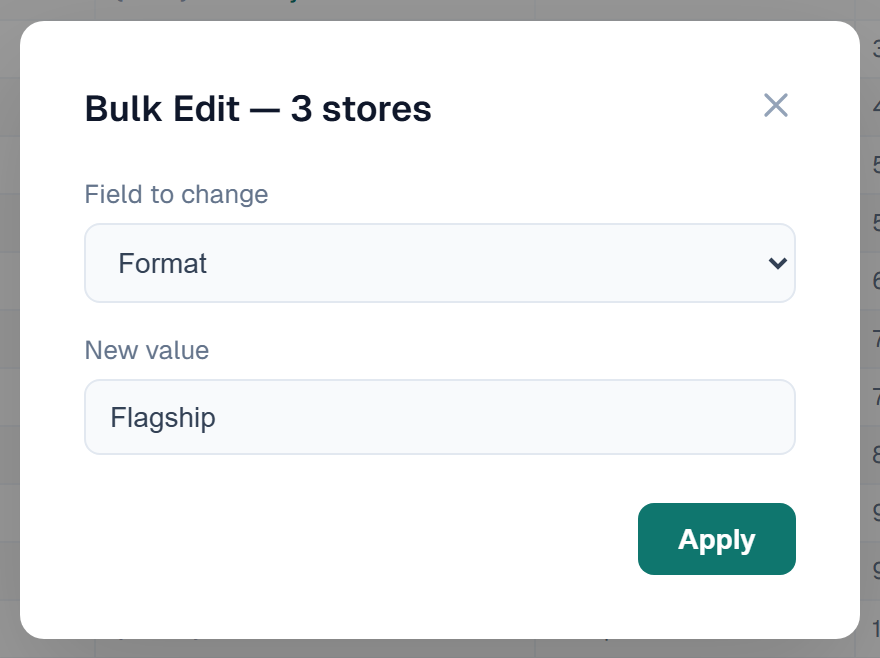
Or watch it on a real entity — the two selections side by side, the header checkbox catching out a 1,300-row job, one field changed across a set small enough to check by eye, and the row under approval that cannot be swept in with the rest:
The change lands as pending changes on every checked row, exactly as if you had typed each cell. Nothing is written until you click Save, so you can review the result first — and Discard all in the header drops the whole bulk edit.
Resize a column
Drag the divider at the right edge of a column header. The width is kept while you stay in the grid.
Related
- Adding, Deleting & Pasting — delete the checked rows, or paste values into selected cells
- Export — export the checked rows only
- Editing & Saving — how pending changes are written
- Sorting, Filtering & Search — narrow the grid before you check rows
- Keyboard Shortcuts — every selection key