Role: Submitter
Any user with write access to an approval-required entity is a submitter. You edit as usual. The difference is what happens at Save.
Submitting changes
- Edit cells in the grid, add records, or mark records for deletion.
- Click Save. The Submit changes for approval modal opens.
- Check the Summary: the number of new records, updates and deletions, with the record codes. Above three codes the list ends with "and N more…".
- Check Sent to: the approvers who will get the request, and whether one approval is enough or all of them must agree.
- Add a Note if the change needs context. It is optional and the approvers see it.
- Click Submit for approval.
The modal then confirms the submission, shows the request number, repeats the summary and your note, and states that you get an email once a decision is made. Click Close.
After you submit
- The pending changes disappear from the grid and the data reloads.
- Every record in the request is locked. It shows a lock icon and cannot be edited.
- Records marked for deletion stay visible, in red with a strikethrough, until the request is approved.
My Submissions
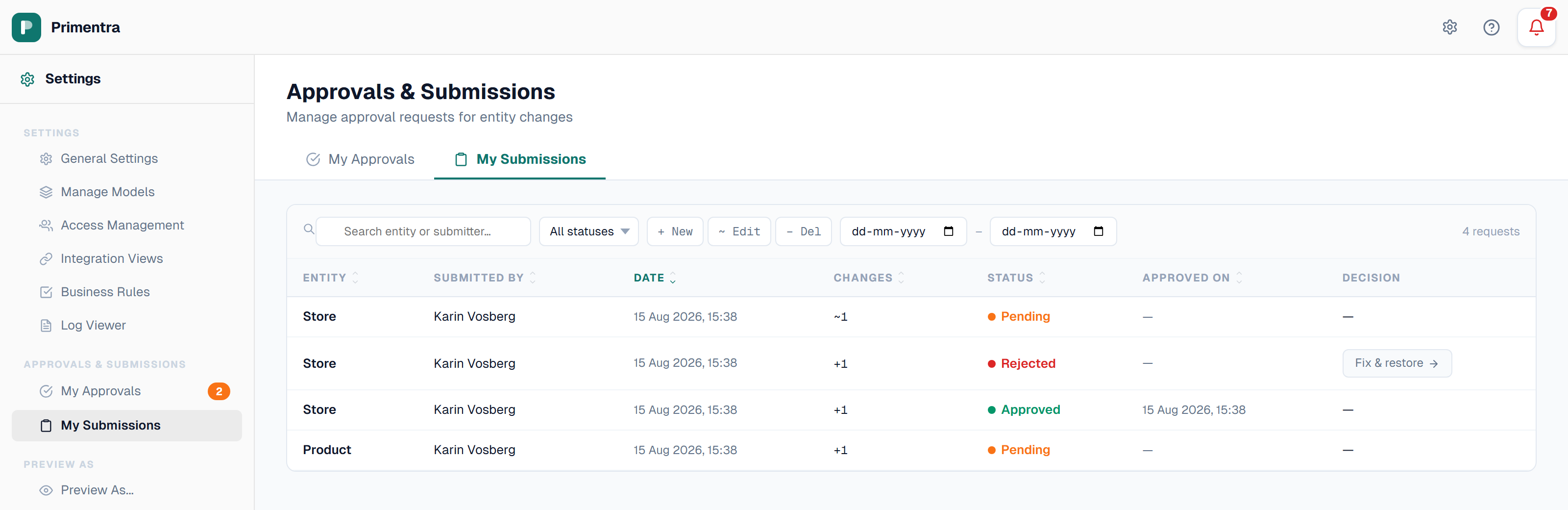
Settings → My Submissions (/admin/my-submissions) lists every request you submitted, newest first.
| Column | Content |
|---|---|
| Entity | The entity the request belongs to |
| Submitted by | You |
| Date | Submission date and time |
| Changes | + new, ~ edits, - deletions |
| Status | Pending, Approved, Rejected, Returned or Cancelled |
| Approved on | Decision date, for approved requests |
Narrow the list with the search box (entity or submitter), the status dropdown, the change-type chips (+ New, ~ Edit, − Del) and a date range. Clear resets every filter.
Click a row to open the request. You see the field-level diff, the current status, your own note and the full review history with each reviewer's comment. There are no decision buttons — reviewing is the approver's job.
When a request is sent back
Returned means the approver wants a correction, not a refusal. Your records are unlocked and the reason is in the review history and in the email.
- Open the request in My Submissions and read the reviewer's comment.
- Open the entity in the data grid.
- Make the corrections.
- Save and submit again. This creates a new request. The returned one stays in the list for reference.
A Rejected request is closed for good. The records are unlocked. Submit a new request only if the change is still needed.
Related
- Approval Workflows — the whole flow and what the grid shows
- Role: Approver — how your request is reviewed
- Editing & Saving — the normal save flow
- Approval Email Notifications — the mail you get on a decision