Data Retention
Primentra deletes old log and workflow records for you. All five retention periods live on one tab.
Access: Settings → General Settings → Retention
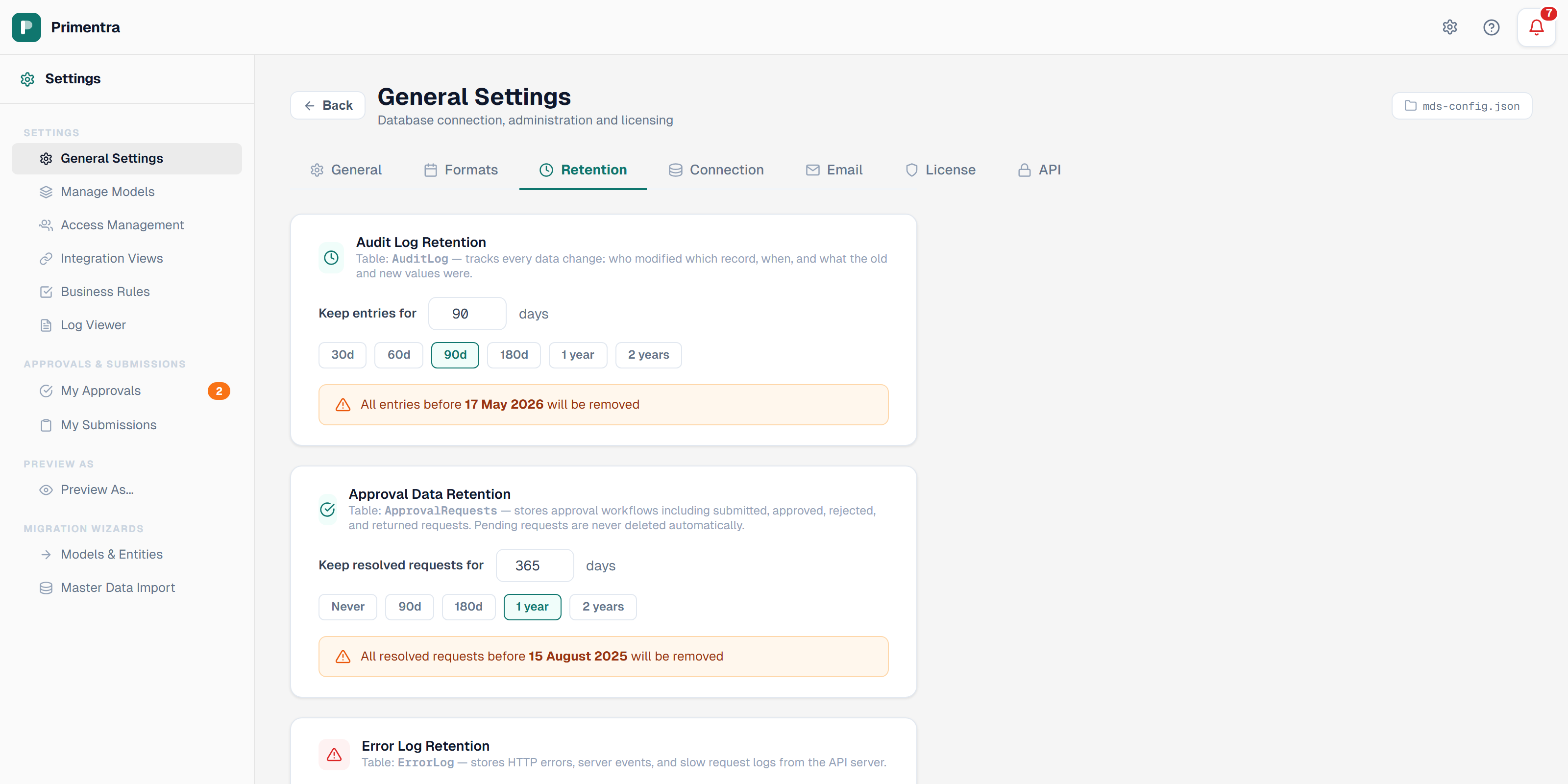
The five managed tables
| Card | Table | Setting | Default | What is deleted |
|---|---|---|---|---|
| Audit Log Retention | AuditLog | auditRetentionDays | 90 days | Change history: who changed what, when, and the old and new values |
| Approval Data Retention | ApprovalRequests | approvalRetentionDays | 365 days | Resolved approval requests. Cascades to ApprovalRows and ApprovalReviews |
| Error Log Retention | ErrorLog | errorLogRetentionDays | 30 days | Database error entries. The file errorlog.txt is not touched |
| Staging Data Retention | StagingImport | stagingRetentionDays | 7 days | Processed staging records. Pending imports are never deleted |
| Scheduler Log Retention | SchedulerLog | schedulerLogRetentionDays | 30 days | Scheduler dispatch events: fired, completed, skipped, zombie releases, errors |
Every card carries the table name, a description, a number field from 1 to 9999 days, preset buttons, and an orange banner with the exact cutoff date. The banner updates live as you change the value.
Set a retention period
- Open Settings → General Settings → Retention.
- Type a number of days, or click a preset.
- Read the orange banner to confirm the cutoff date.
- Click Save settings.
Changes take effect at the next cleanup run. No restart is needed.
Approval data retention
Only requests in a terminal state are eligible:
- approved — the changes were accepted and committed to live data
- rejected — the changes were declined
- sent_back — the request was returned to the submitter for revision
- cancelled — the submitter withdrew the request
Pending requests are never deleted automatically. They still await a decision.
The cutoff is measured from the date the request was submitted, not from the date it was resolved.
This is the only card with a Never preset. Set it to 0 and cleanup is disabled — a blue panel reads *Approval records are kept indefinitely* instead of the orange cutoff banner.
How cleanup runs
A SQL Server Agent job runs usp_Maintenance_Cleanup every 60 seconds. Each run:
- Reads the five retention values from the
AppSettingstable. - Calls the cleanup procedure for each table:
usp_AuditLog_Cleanup,usp_Approval_Cleanup,usp_ErrorLog_Cleanup,usp_SchedulerLog_Cleanupandusp_Import_CleanupStaging. - Writes one
SchedulerLogrow per table — but only when records were actually deleted. Runs that delete nothing are silent.
The DELETE statements are cheap when there is nothing to purge, so the 60-second interval costs almost nothing.
Because the values live in AppSettings and not in a configuration file, the job always reads the current numbers, and the settings are included in a database backup.
Reading the cleanup log
A cleanup entry looks like this:
Filter for the cleanup event type in Settings → Logs, or query the table:
The job must exist
Primentra checks for the job itself. Settings › General Settings › Database reports it after every setup run, and the Processing Schedule panel warns about it whenever a schedule is set to run by itself. You do not have to go looking.
To check by hand, connect as a sysadmin and run:
No rows means it was not created. Run scripts\create-scheduler-agent-job.sql once as a sysadmin. Also confirm that the SQL Server Agent service is running and set to start automatically — the job cannot fire without it.
SQL Server Express has no SQL Server Agent at all. Use the Windows Task Scheduler alternative described in Staging Scheduler.
To purge once by hand, execute usp_Maintenance_Cleanup in SSMS at any time.
Related
- Audit Log — what the audit entries contain
- Error Log — manual cleanup and truncate for the error log
- Approval Workflows — the requests this page expires
- Staging Scheduler — the same SQL Agent job
- General Settings — the other settings tabs