What's New
On this page
Primentra ships a changelog with every release. You can read it inside the app, without leaving the screen you are on. You can also read the release notes on primentra.com/changelog.
Opening the changelog
Click the version number at the right end of the status bar, for example v1.2026.8.14. The changelog opens full screen. The back arrow in its header returns you to the dashboard.
The changelog also has its own address, /changelog, so you can bookmark it or send someone a link.
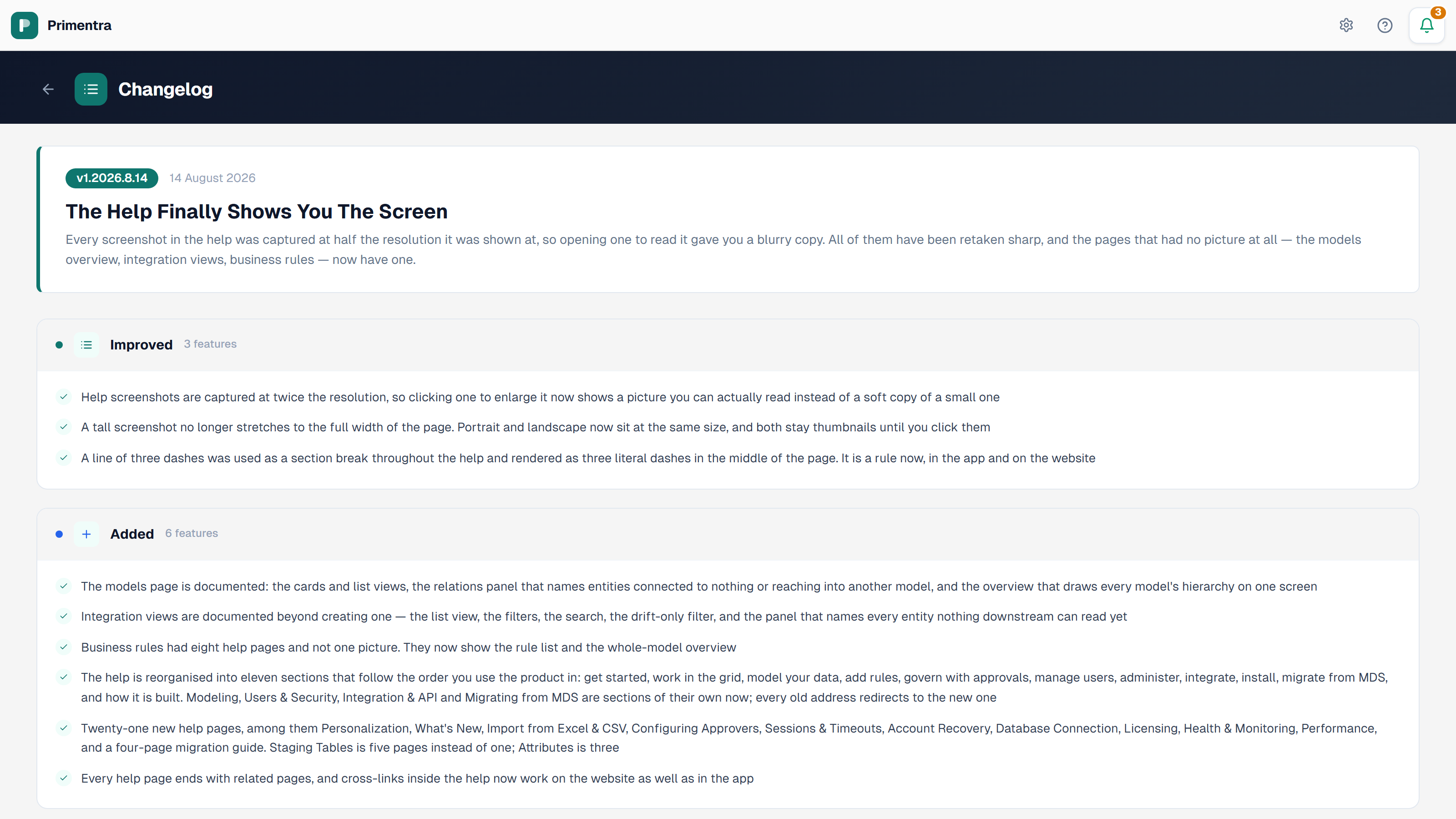
What the changelog shows
Releases are listed newest first. Each release has a header card and one or more category cards.
The header card carries:
- the version badge, for example
v1.2026.8.14 - the release date
- a short title
- a paragraph explaining what changed and why
The category cards group the individual changes. Each card shows a colored dot, an icon, one of three category names, New, Improved or Fixed, and how many items it holds. Under that, every change is listed with a check mark.
Reading a version number
Versions use the format MAJOR.YEAR.MONTH.DAY. In 1.2026.8.14, 1 is the major version, and the rest is the date of the last database change: 14 August 2026.
The version number only goes up when the database schema changes. A release that changes only the app or the API keeps the current version, so two installs of the same version can hold a different build.
The changelog on the website
The same list is published at primentra.com/changelog. Use it to see what a newer release contains before you upgrade, since you do not have to sign in to read it.
Related
- Personalization: the status bar that holds the version number
- Bookmarkable Links: every screen, including the changelog, has an address
- Upgrading: how to move an install to a newer version
- Licensing: license keys and the trial period
Did not find what you need?
Try the troubleshooting pages, or ask us.