AI Call Log
The AI call log lists every call of AI assist: each second opinion, each rule suggestion and each test call. Only an administrator sees it.
Access: Settings › Log Viewer › AI calls, or Open the call log on the AI assist tab of General Settings.
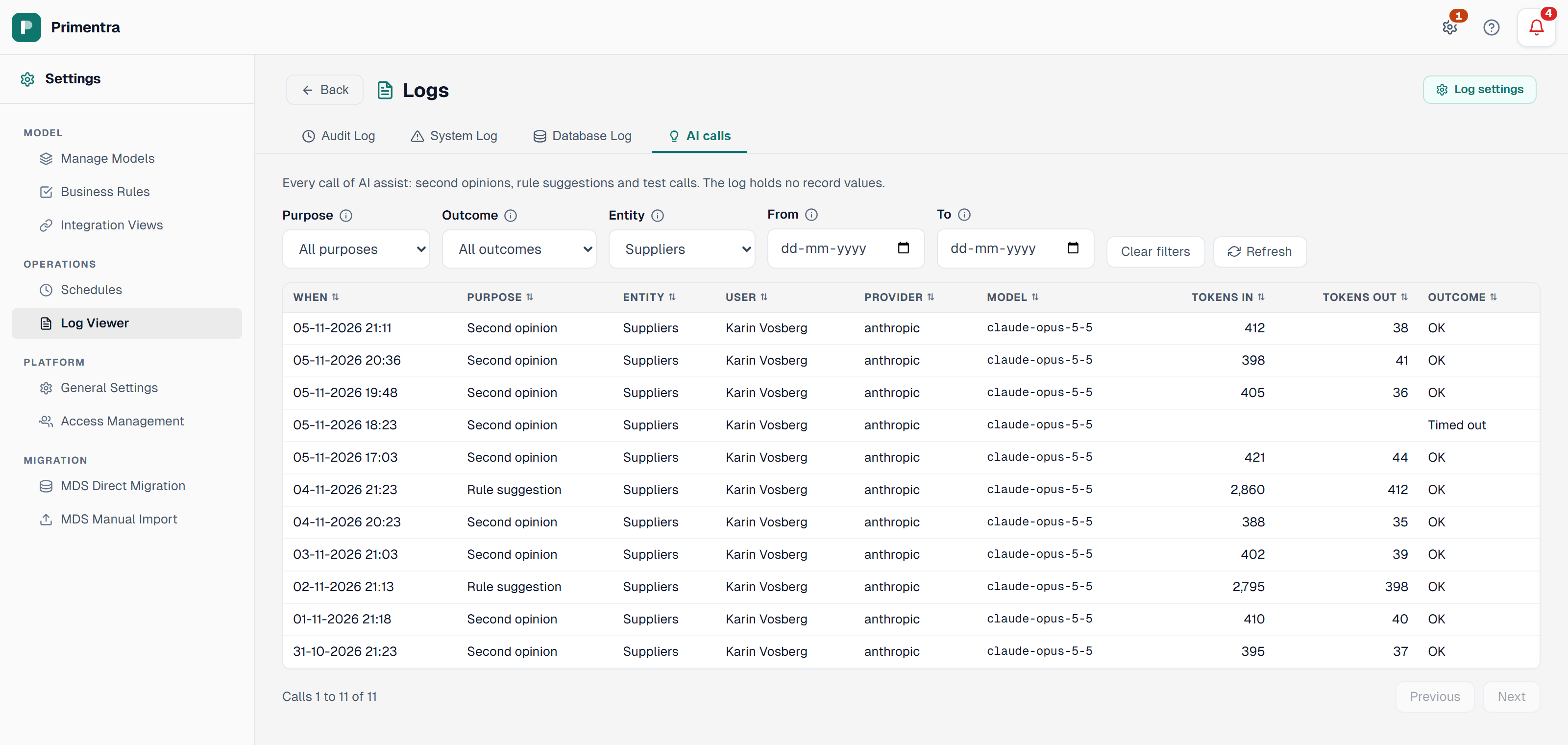
What a line holds
| Column | What it shows |
|---|---|
| When | The time of the call |
| Purpose | Second opinion, Rule suggestion or Test call |
| Entity | The entity of the call. A test call has none |
| User | Who asked |
| Provider and Model | Where the call went |
| Tokens in and Tokens out | What the provider counted |
| Outcome | OK, Failed, Timed out, Refused, Unusable answer, Key problem, or Running while the call waits |
The log holds no record values and no answer text. The table is AiCallLog.
Find a call
The tab shows 50 calls at a time, the newest first. Next and Previous go through the rest. The line under the table says which calls you see, for example Calls 51 to 100 of 230.
Filter on Purpose, Outcome, Entity, and a From and To day. The filters search the whole log. The days are in UTC. Clear filters shows all calls again.
A click on a column header sorts the calls of the page. A second click turns the order round, a third click puts it back.
How long calls stay
Primentra keeps a call for 90 days, or the days set on the AI Call Log Retention card. Log settings at the top of the tab opens that card. The calls of today always stay, because the daily call limit counts them. See Data Retention.
Related
- Lookalikes: what AI assist does, and the daily call limit
- Data Retention: how long the calls stay
- Audit Log: the first tab of the same screen
- Error Log: the System Log and Database Log tabs
Did not find what you need?
Try the troubleshooting pages, or ask us.